
In today’s digital era, businesses are constantly seeking ways to connect with customers quickly and efficiently. One of the most popular tools for this is WhatsApp.
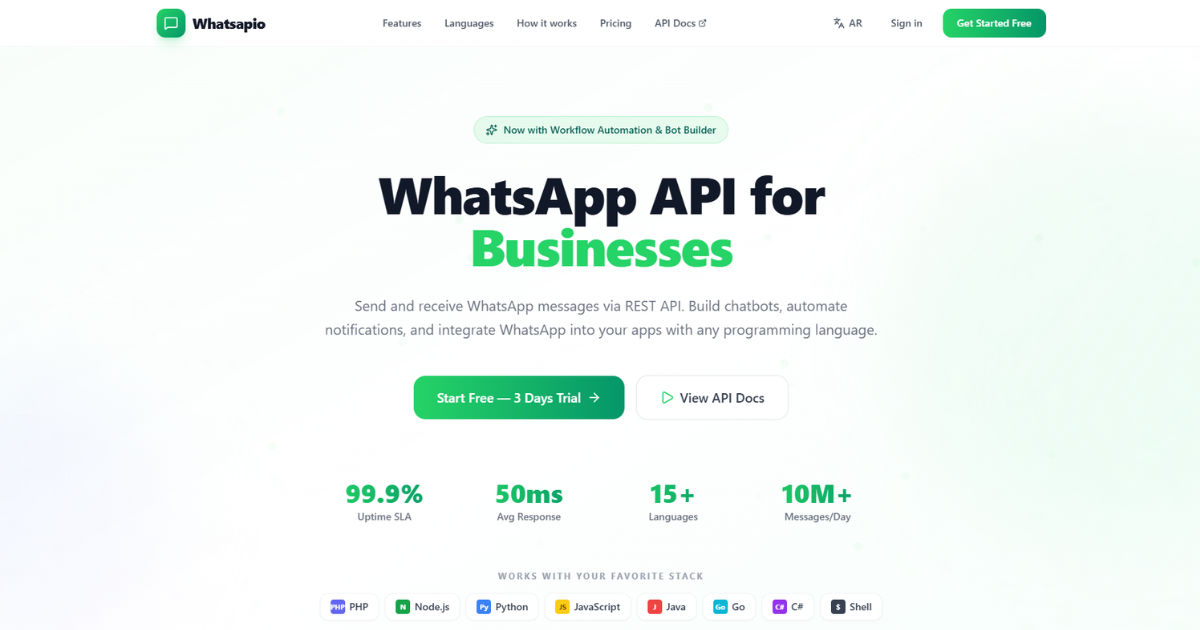 But did you know that businesses can automate their communication using a WhatsApp API provider? This guide is designed to help beginners understand what a WhatsApp API provider is, why it’s important, and how to use it effectively.
Understanding WhatsApp API
WhatsApp API stands for Application Programming Interface, which allows businesses to integrate WhatsApp into their systems. Unlike the standard WhatsApp app used for personal communication, the API is designed for businesses to automate messages, send notifications, and provide customer support at scale.
A WhatsApp API provider acts as a bridge between your business systems and WhatsApp. They manage the technical aspects, allowing you to focus on communication with your customers without worrying about server setups or security issues.
Why Businesses Use WhatsApp API Providers
Businesses of all sizes are using WhatsApp API providers because it offers several benefits:
- Automation: Send messages automatically, reducing manual effort.
- Scalability: Handle thousands of customer interactions simultaneously.
- Integration: Connect WhatsApp to CRMs, e-commerce platforms, or helpdesk tools.
- Analytics: Track message delivery, read rates, and customer engagement.
- Security: API providers ensure secure communication that follows WhatsApp policies.
Using a WhatsApp API provider is essential for any business aiming to deliver quick and reliable messaging to customers.
How WhatsApp API Works
The WhatsApp API works by connecting your business system to WhatsApp servers. Here’s a simple breakdown:
- Business Account: You need a verified WhatsApp Business Account.
- API Access: The WhatsApp API provider gives you the credentials to send messages programmatically.
- Message Templates: Businesses create pre-approved templates for notifications and updates.
- Automation Setup: Using software or platforms, messages are sent automatically based on triggers.
- Customer Interaction: Customers can reply, and responses can be routed to your support team or CRM.
This setup ensures smooth communication and reduces manual workload while maintaining WhatsApp compliance.
Choosing a WhatsApp API Provider
Selecting the right WhatsApp API provider is crucial for success. Here are factors to consider:
Reliability
Ensure the provider has a strong track record of uptime and message delivery. Unreliable services can damage your customer experience.
Security
Your provider must comply with data privacy regulations and WhatsApp’s security policies. End-to-end encryption and secure servers are essential.
Integration Options
The provider should integrate with your CRM, ERP, or marketing automation tools. This makes it easier to manage customer interactions in one place.
Pricing
Pricing models vary among providers. Some charge per message, while others have monthly plans. Choose a provider that matches your business needs and budget.
Support
24/7 support is vital in case of technical issues. A responsive support team ensures minimal downtime and smooth operations.
Key Features of a WhatsApp API Provider
A WhatsApp API provider offers a variety of features to enhance business messaging. Some key features include:
- Automated Messaging: Send reminders, alerts, and promotions automatically.
- Two-Way Communication: Engage customers with live chat options.
- Rich Media Support: Share images, PDFs, videos, and audio files.
- Template Messaging: Pre-approved templates help maintain compliance.
- Analytics Dashboard: Monitor performance metrics such as read rates, delivery status, and engagement.
- Multi-Agent Support: Multiple team members can handle customer queries simultaneously.
These features make it easier for businesses to communicate professionally and efficiently.
Steps to Get Started with WhatsApp API
Getting started with a WhatsApp API provider is straightforward. Follow these steps:
Step 1: Verify Your Business
Sign up for a WhatsApp Business Account and complete verification. You may need to submit official documents to prove your business identity.
Step 2: Select a Provider
Research and choose a provider that fits your requirements. Consider features, pricing, and integration options.
Step 3: Set Up Your API
Your provider will guide you in connecting your business systems to WhatsApp using API credentials. This may include server setup or cloud-based configurations.
Step 4: Create Message Templates
Develop message templates for notifications, reminders, or promotions. Submit these templates to WhatsApp for approval.
Step 5: Automate Messaging
Set up triggers or schedules for sending automated messages. For example, you can send order confirmations, shipping updates, or appointment reminders.
Step 6: Monitor and Optimize
Use the analytics dashboard provided by your API provider to track performance. Optimize your messages for better engagement and response rates.
Common Use Cases for WhatsApp API Providers
Businesses across industries can benefit from a WhatsApp API provider. Here are some popular use cases:
Customer Support
Automate common responses, route queries to agents, and provide 24/7 support.
E-Commerce Notifications
Send order confirmations, shipping updates, and delivery notifications automatically.
Appointment Reminders
Healthcare clinics, salons, or service providers can send reminders to reduce no-shows.
Marketing Campaigns
Share promotions, offers, and updates to engage your audience without spamming.
Feedback Collection
Gather customer feedback using automated messages and surveys.
Benefits of Using WhatsApp API Over Regular WhatsApp
While the standard WhatsApp app is suitable for personal communication, businesses gain additional advantages with an API provider:
- Automation at Scale: Send bulk messages without manual effort.
- Better Integration: Connect with business tools for seamless operations.
- Professional Communication: Maintain consistent messaging with templates.
- Detailed Analytics: Track performance to improve customer engagement.
- Compliance: Adheres to WhatsApp policies, reducing risk of account suspension.
Using a WhatsApp API provider transforms how businesses communicate with customers efficiently and professionally.
Tips for Successful WhatsApp Messaging
To get the most out of your WhatsApp API, follow these tips:
- Use Approved Templates: Avoid sending messages that are not approved by WhatsApp to prevent account suspension.
- Personalize Messages: Use customer data to make messages more relevant.
- Segment Your Audience: Send targeted messages based on preferences or behavior.
- Monitor Engagement: Track metrics like read rates and responses to optimize messaging.
- Maintain Consistency: Ensure your brand tone is consistent across all messages.
By following these tips, you can improve customer satisfaction and engagement through WhatsApp.
Challenges and Considerations
While WhatsApp API offers many advantages, there are some challenges:
- Approval Process: Templates and business accounts require WhatsApp approval, which can take time.
- Cost: API providers charge per message or subscription fees.
- Technical Setup: Some integration steps may require technical expertise.
- Compliance: Businesses must follow WhatsApp policies to avoid account suspension.
Understanding these challenges ensures you are prepared for a smooth implementation.
Popular WhatsApp API Providers
Several providers offer robust solutions for businesses. Some popular ones include:
- Twilio
- MessageBird
- 360dialog
- Vonage (Nexmo)
- WATI
Each provider has unique features, pricing, and integration options. Choose one that aligns with your business needs.
Best Practices for Using WhatsApp API Providers
To maximize benefits, businesses should adopt best practices:
- Start Small: Begin with essential notifications before scaling up.
- Track Metrics: Use dashboards to monitor performance.
- Maintain Compliance: Follow WhatsApp’s guidelines and policies.
- Automate Wisely: Ensure automation doesn’t compromise personalization.
- Train Your Team: Agents should know how to use the system effectively.
Implementing these best practices ensures your communication is efficient, effective, and compliant.
Future of WhatsApp Business API
The future of WhatsApp API looks promising. With increasing digital communication trends, businesses will continue to adopt APIs for automation, customer engagement, and enhanced customer experience. Innovations such as AI-driven chatbots, personalized marketing campaigns, and deeper integration with business systems are expected to grow.
Conclusion
A WhatsApp API provider is a vital tool for modern businesses aiming to streamline communication, automate messages, and engage customers professionally. From understanding the basics to selecting the right provider and implementing best practices, this guide offers everything a beginner needs to get started. By leveraging the API effectively, businesses can improve customer satisfaction, increase efficiency, and maintain a competitive edge in today’s fast-paced digital world.